

Sepia toning can be applied to an image whether black and white or full color. Here’s some results. You do get a certain archival look to it. I usually convert image to monochrome and then apply sepia tone as you see in the second set of samples. You can adjust the strength. See link at bottom for how Adobe suggests you can do it. Photoshop helps but you should be able to do it in other image editing programs.
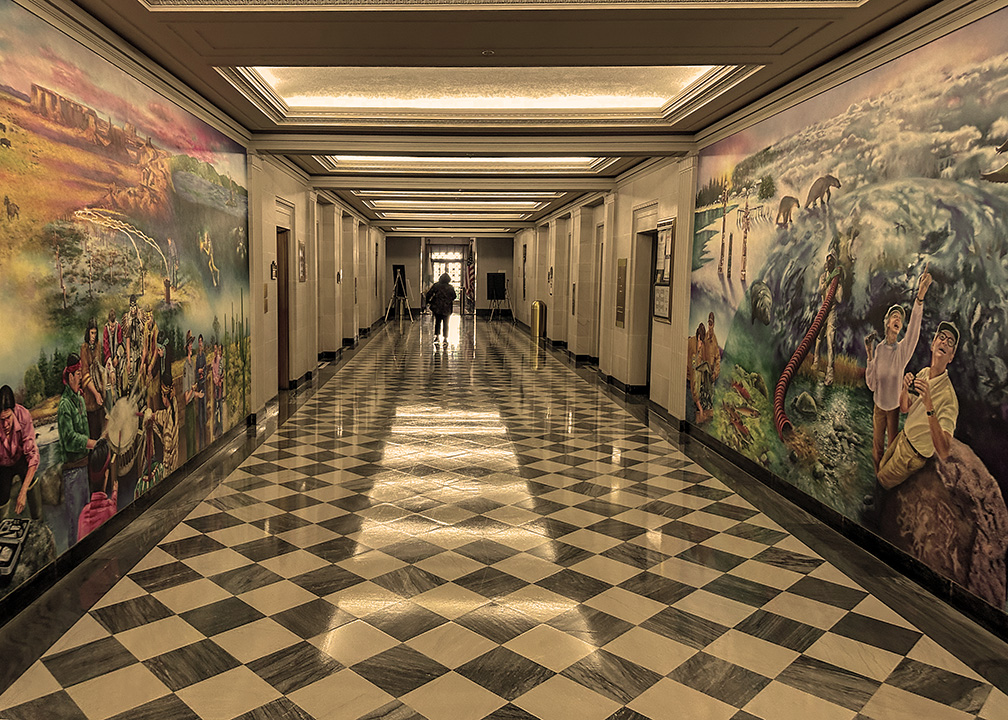
The image is of the hallways of the Department Of The Interior Building In Washington D.C. I believe I used the full color image because of the colorfulness of those murals!



Here’s another example with the Purple Coneflower adding sepia to a converted monochrome image.


Here’s the link to Adobe’s methods of using Sepia Tone. Feel free to contact me with any questions.
 Dawn2Dawn Photography
Beautiful photos. That floor and mural is stunning.
LikeLike
I was fortunate to have a friend who works there. It is also the headquarters for the National Park Service. Those murals were painted years ago.
LikeLike
I like sepia, it gives this historical touch.
LikeLike
I plan to use it more often. Have to shake things up
LikeLike
I like sepia, it vthis historical touch!
LikeLike